
A New Way to Shop Online - Try Before You Buy, Anywhere
Clottr's browser extension turns every online store into your personal fitting room. Try on clothes, check them against your wardrobe, and build outfits - all without leaving the page.
Get Early Access
Hover. Choose. Done.
When you hover over any product image on any online store, Clottr's overlay appears with four actions - each one powered by your wardrobe data and style preferences.
No app switching. No saving links for later. No tabs open to compare items. Everything happens right where you're already shopping.
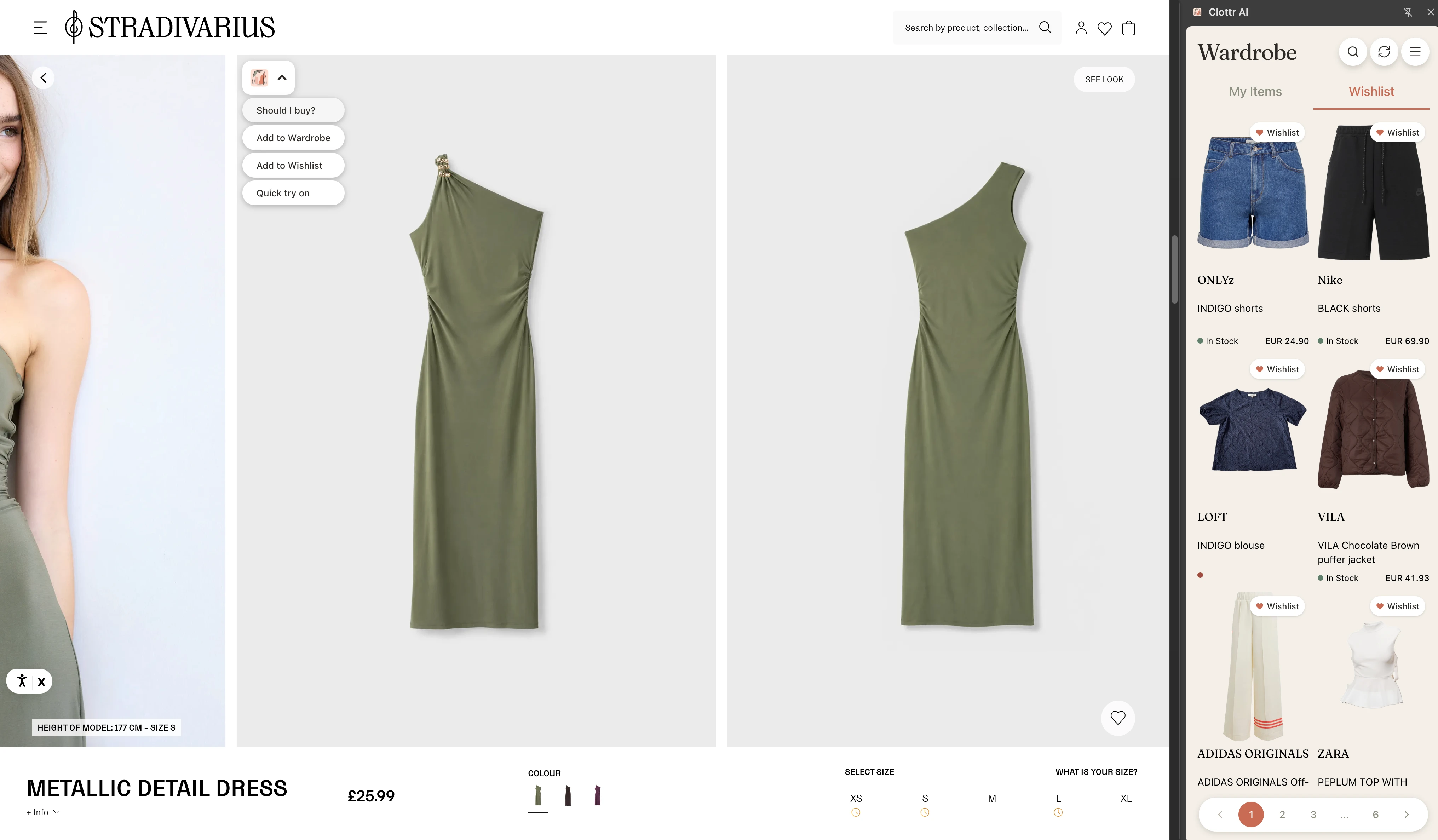
Four features. One hover.
Every product image on every online store becomes interactive. Here's what you can do without leaving the page.
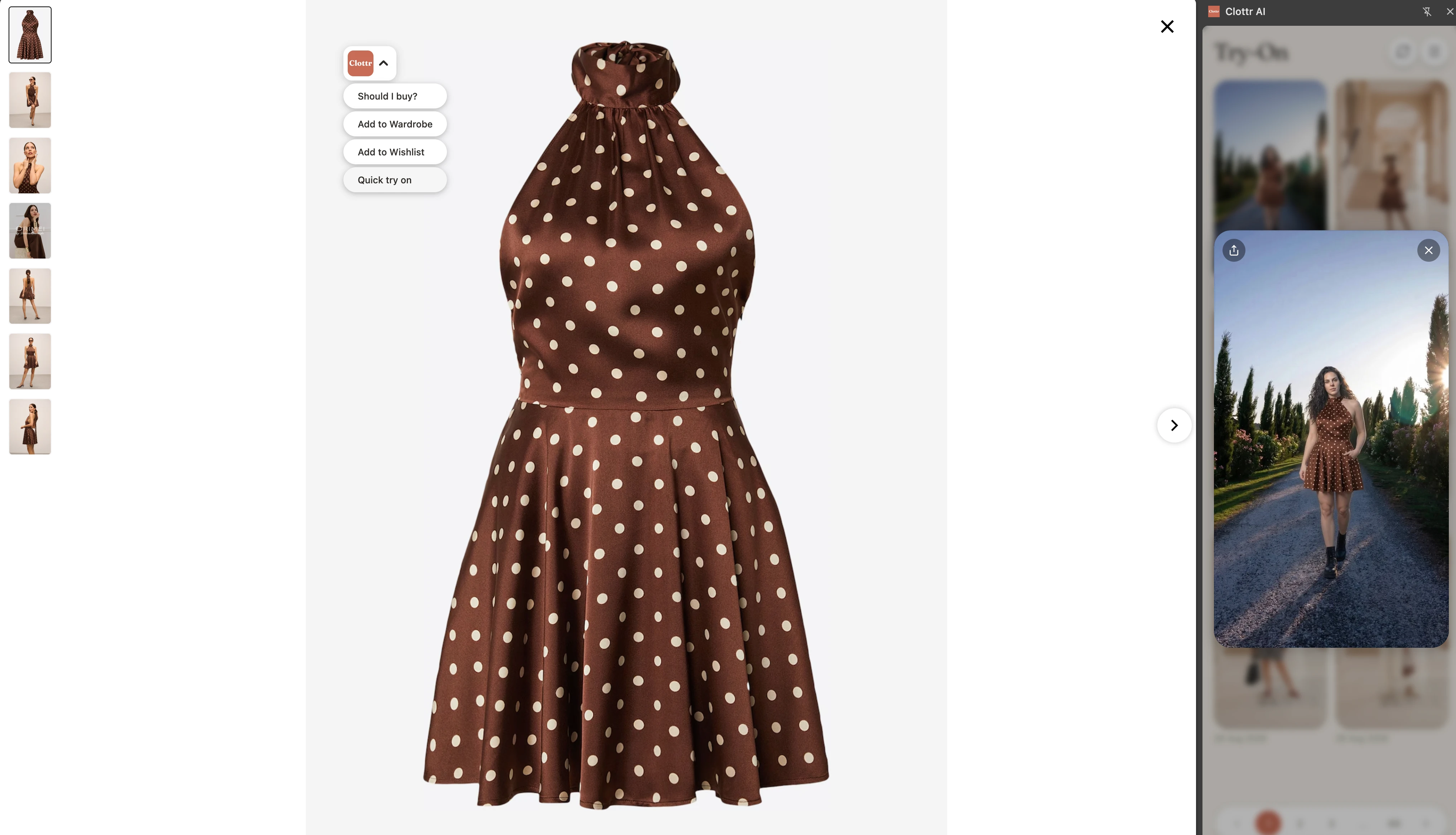
See it on you in high quality - no app required
Tap "Try On" on any product image and Clottr generates a high-quality photo of you wearing it. Your real photo, the actual product - not a generic model.
No switching apps. No uploading screenshots. The clearest path from "I like that" to "here's how it looks on me."
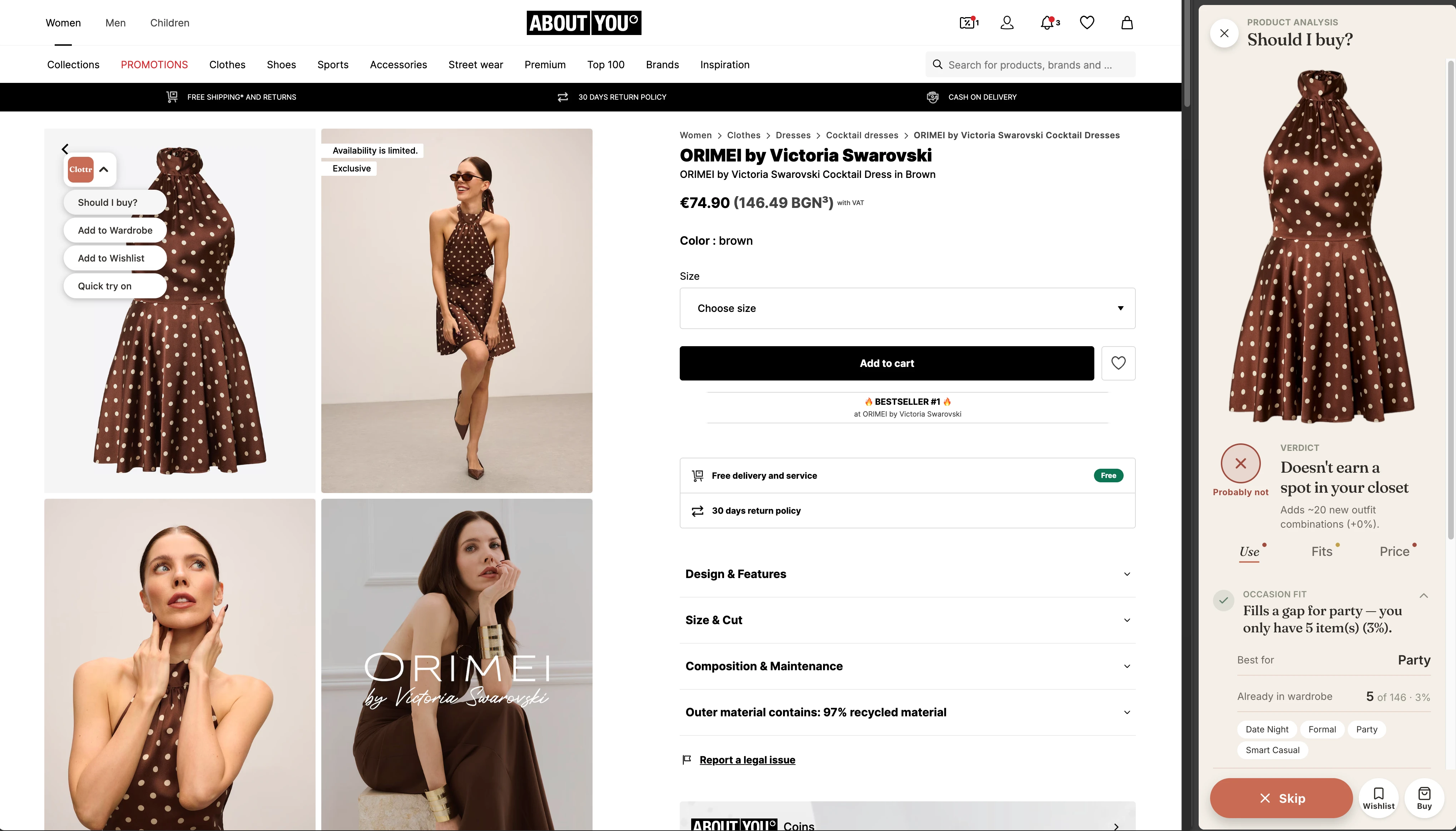
AI checks every item against your wardrobe
Before you buy, Clottr runs a full analysis: Does it match your style? How many outfits can you make? Do you already own something similar? Is it the right season? Is the price reasonable?
- ✓ Style & preference compliance
- ✓ Season & occasion check
- ✓ Similar items in your wardrobe
- ✓ Outfit potential score
- ✓ Price comparison
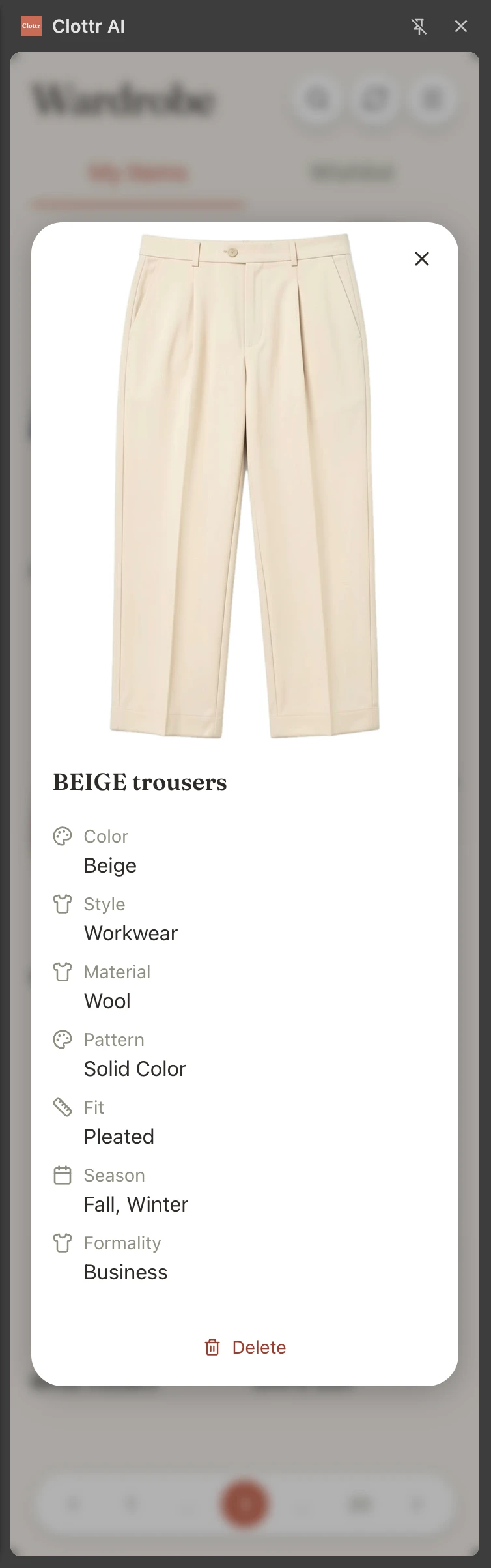
One tap - it's in your digital closet
Bought something? Tap "Add to Wardrobe" and Clottr saves the item with full details - color, category, season, fabric - ready for outfit planning and future "Should I Buy?" checks.
No manual entry. No photo cropping. Your wardrobe stays up to date automatically as you shop.
Build complete outfits from any store
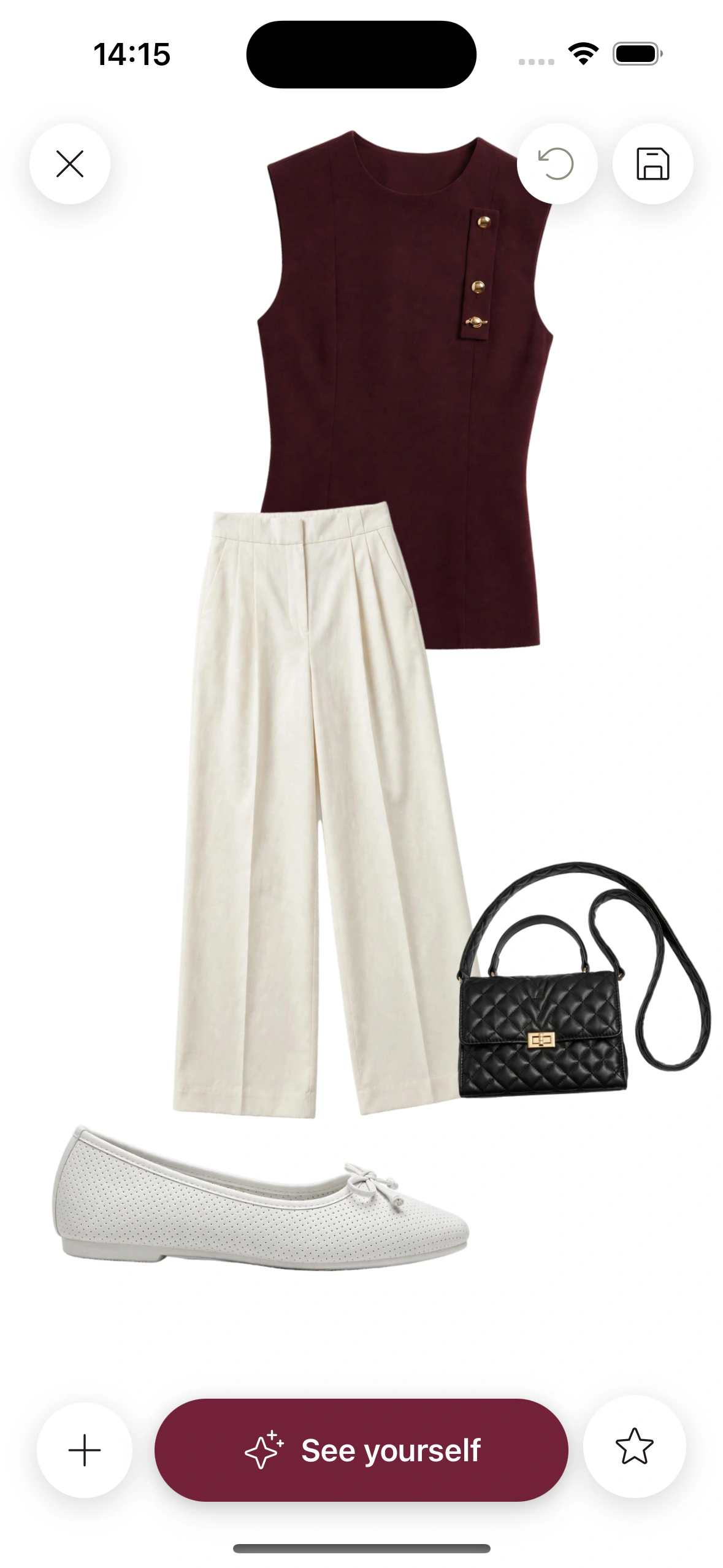
Drop any product onto Clottr's outfit canvas and combine it with items from your wardrobe or other stores. See the full look - then try it on.
Mix a jacket from Zara with jeans you already own and sneakers from Nike. The canvas doesn't care where items come from - it just helps you build great outfits.
Works on every online store
Zara, H&M, ASOS, Nordstrom, Amazon, Net-a-Porter - if it has product images, Clottr works. No integrations needed, no store partnerships required.
The extension sees what you see. Any product image on any website becomes interactive - powered by your wardrobe, your preferences, and your style.
Explore more

Virtual Try-On
See yourself in any outfit before you buy - in high quality.

AI Outfit Planner
Get daily outfit recommendations based on your wardrobe, weather, and calendar.
Stop Shopping Regret
Know if a new item works with your wardrobe before you spend a cent.
Best Virtual Try-On Apps in 2026
Honest comparison of the top virtual try-on apps available today.
I Stopped Buying Clothes I Never Wear
A personal story about breaking the cycle of shopping regret.
Frequently Asked Questions
How does the Clottr browser extension work?
When you browse any online store, Clottr adds an overlay to product images. Hover over any item and choose an action: try it on with your photo, run a 'Should I Buy?' check against your wardrobe, add it to your digital wardrobe, or drop it onto the outfit canvas to build a full look.
Which online stores does Clottr work with?
Clottr works on any online store - Zara, H&M, ASOS, Nordstrom, Amazon, and thousands more. If you can see a product image, Clottr can analyze it.
Do I need to switch between the extension and the Clottr app?
No. Everything happens right on the store page. The extension connects to your Clottr wardrobe and preferences in the background - no app switching, no copy-pasting links.
What does the 'Should I Buy?' feature check?
Clottr checks the item against your wardrobe for duplicates, calculates outfit potential with your existing clothes, verifies it matches your style preferences, compares similar items you already own, checks seasonal relevance, and evaluates the price against comparable pieces.
Can I try on clothes without buying them?
Absolutely. Clottr's virtual try-on lets you see any item on your own photo in high quality - directly from the product page. No purchase required, no returns needed.
Is the browser extension free?
Clottr has a free tier. It is coming soon, and joining the waitlist before launch gets you an exclusive price on the paid plan, discounted for life. The browser extension will be included for all users.
Stop guessing. Start wearing.
Join early. Discounted for life.