

Field Guide № 01 · Travel
Plan a trip with Clottr.
A ten-minute setup that turns your destination, your dates, and your wardrobe into a day-by-day packing list — weather-checked and ready to fly.
01
Create the trip.
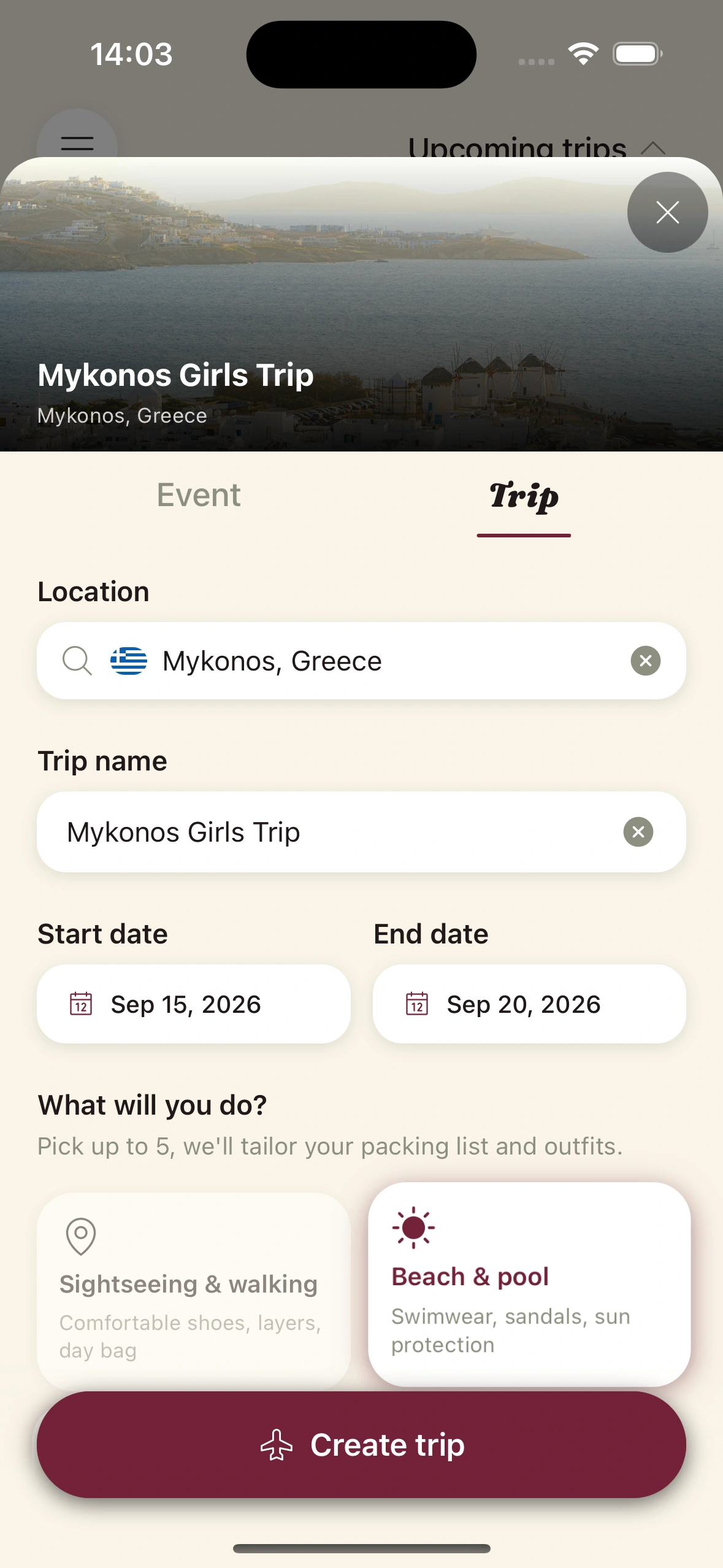
Open the Calendar tab and tap + New Trip. Add the destination city, the start date, and the end date.
If your trip touches multiple cities, add each as a leg — Clottr will fetch separate forecasts per city and build a single unified packing list across them.
02
Set the vibe and the bag.
Pick the overall trip vibe — leisure, work, mixed, active, formal — and set the bag size you're constrained by (carry-on or checked).
The vibe tilts the AI's default formality range. The bag size caps the suggested pieces. Carry-on, for a ten-day trip, lands at around 8–10 items including shoes.
03
Add the events.
For any day that needs a specific dress code, add an event to that day — dinner reservation, meeting, hike, wedding rehearsal. Each event nudges the AI's formality and activity inputs for that day's outfit.
Skip this step and the planner uses the trip vibe as a default for every day. The events are the difference between "ten roughly equivalent outfits" and "an outfit that fits each day specifically."
04
Generate day-by-day.
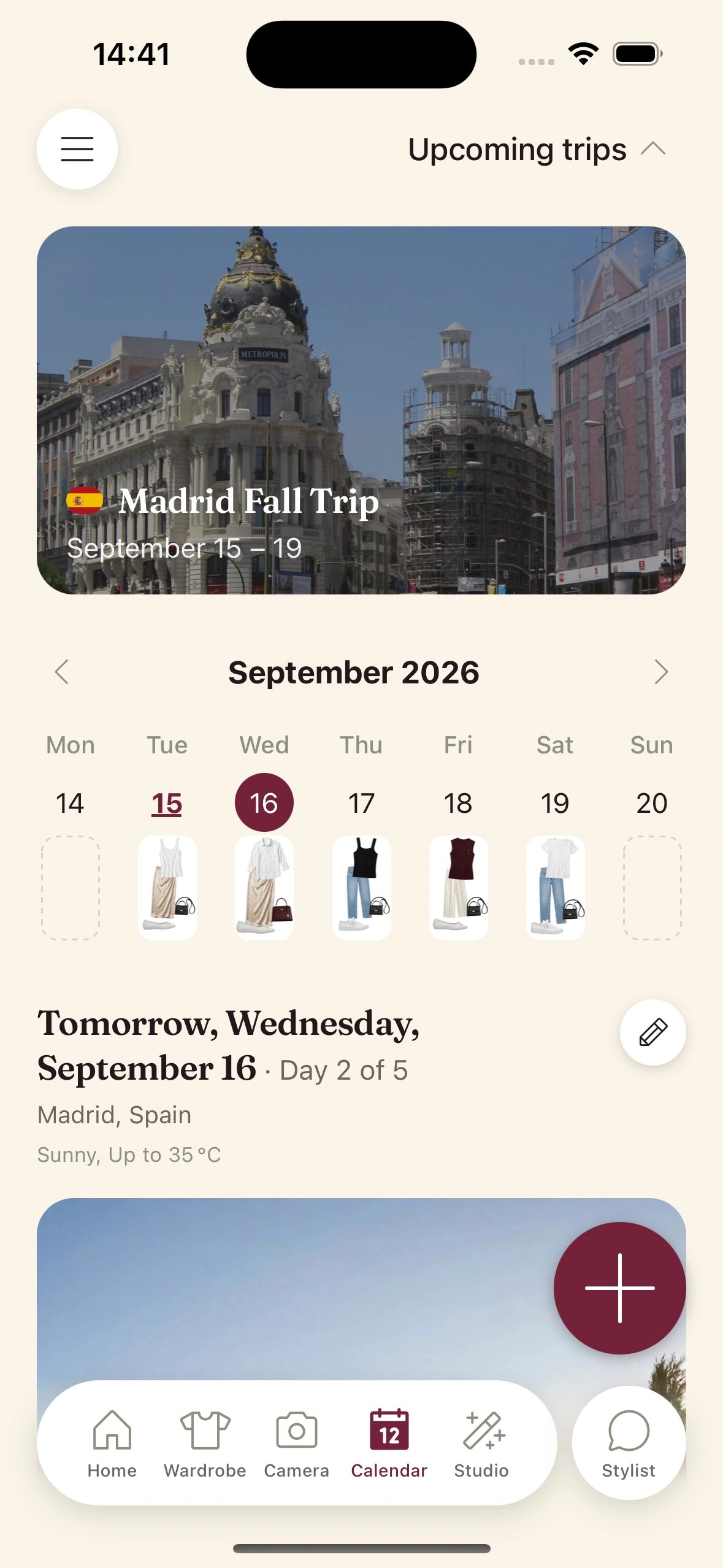
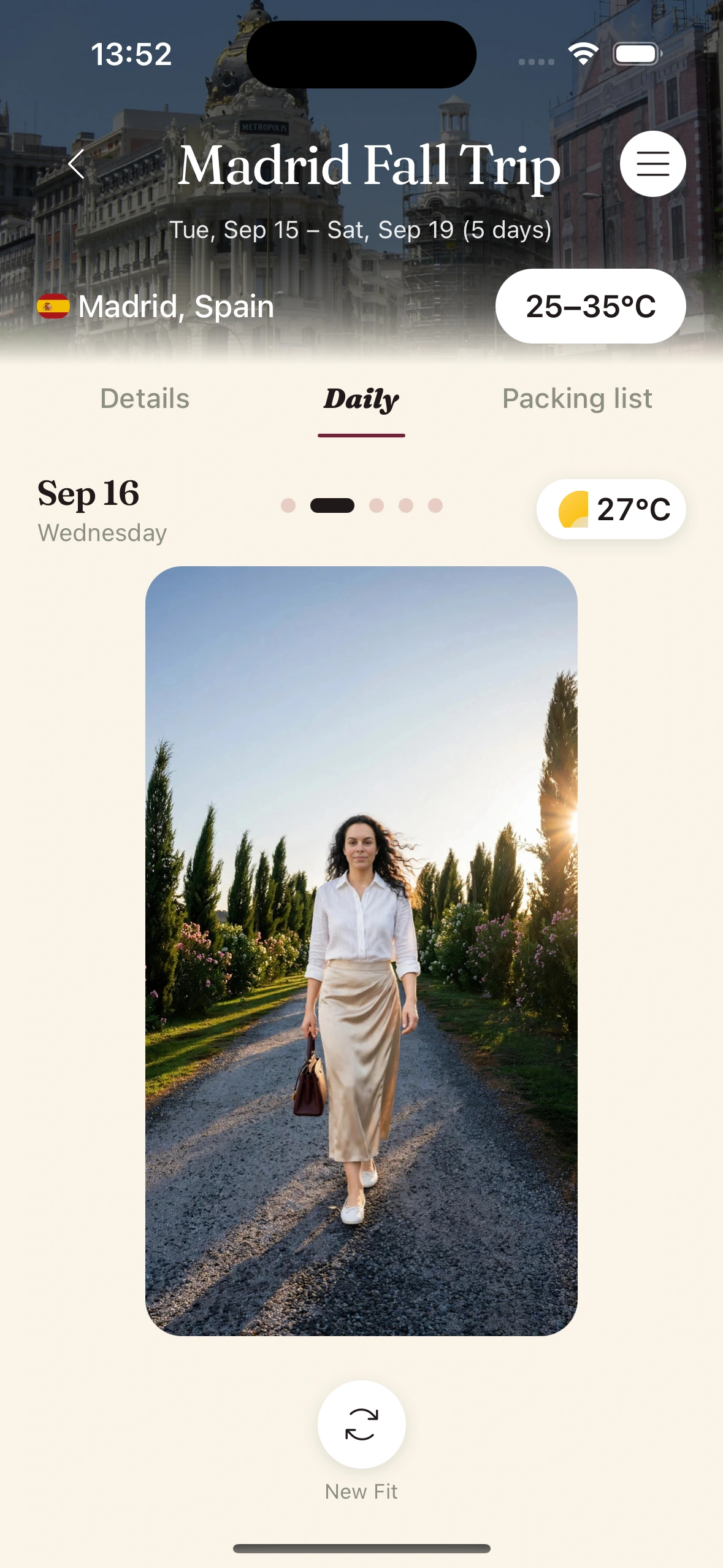
Tap Generate. Clottr pulls the forecast for each city on each day, then builds a complete outfit per day from your wardrobe — scored across the same seven dimensions as the daily fit recommendations.
Each day's outfit shows the reasoning (weather, formality, what it skipped). Swipe through the alternates if any day feels off. The planner re-balances the rest of the trip around any swap.
05
Pack from the list, then forget.
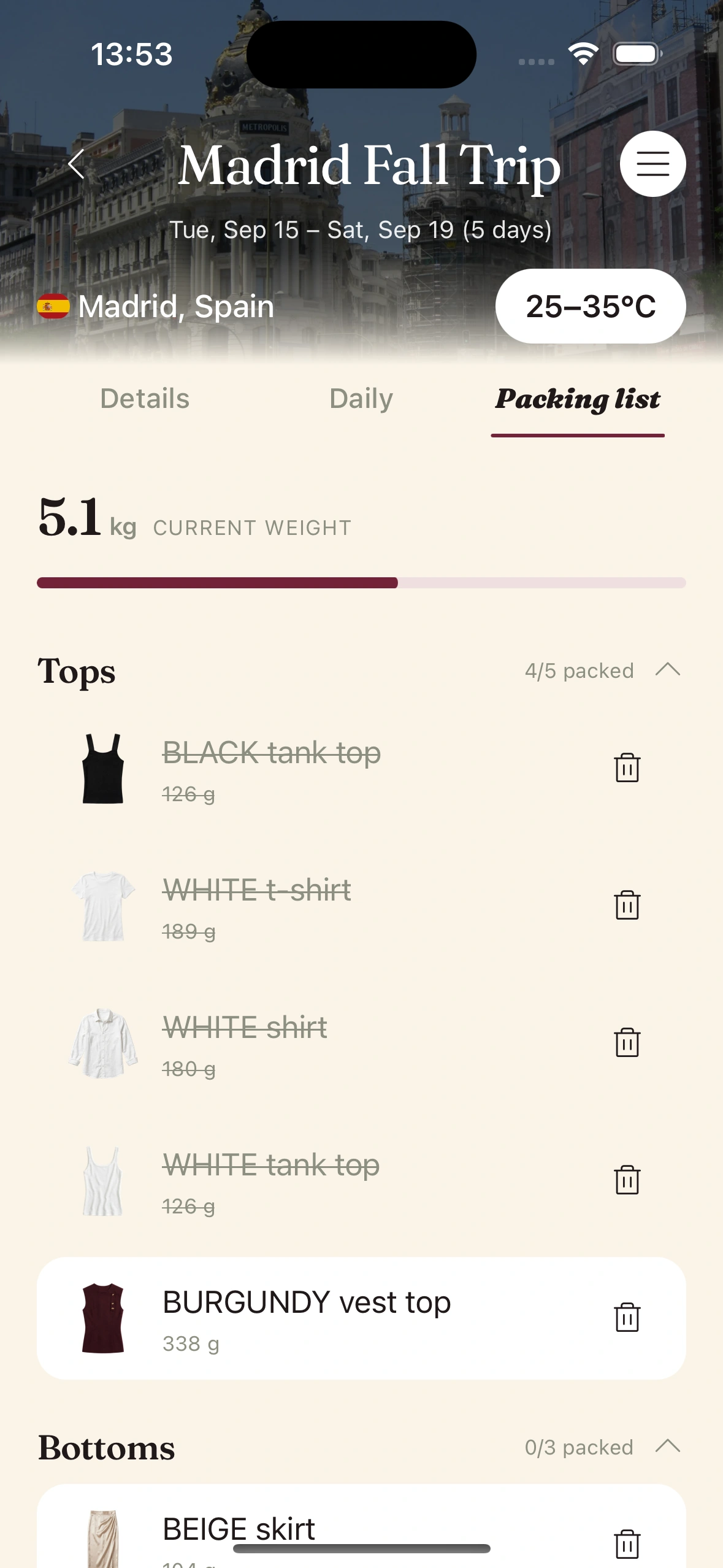
Open the Packing List tab on the trip. It's the union of every day's outfit, with duplicates collapsed. Pack from it.
Once you're on the trip, the planner keeps watching the forecast. If conditions shift, the morning's outfit suggestion adapts. You don't need to re-plan — the work is already done.
Tips & gotchas
A few things that help.
Log your travel basics before the first trip.
The planner only knows what's in your wardrobe. Add the jacket you'd actually take, the shoes that survived the last trip, the rain shell. Ten minutes of logging pays back across every future trip.
Set the bag size honestly.
Carry-on is a hard constraint. The planner respects it but won't guess it. If you don't set the cap, you'll get a leisurely packing list and run out of room.
Override on taste, accept on weather.
If the planner says skip the white sneakers because it's going to rain, listen. If it picks an outfit that you just don't love, swap it manually — the rest of the trip re-balances around your choice.
Re-check the morning you fly.
Forecasts shift. Open the trip the morning of departure for a final pass. If a city's weather has flipped, the planner will flag it and re-suggest. Better to see the change before you're at the gate.
Keep reading

Blog
I packed a 10-day trip with an AI
The trip planner in practice. What it got right, what it got wrong, and the suitcase that ended up half the size.
Guide
Set up your daily fit
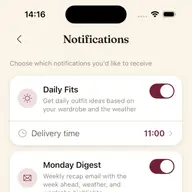
The same engine that powers trip planning, in your inbox every morning.

Feature
The Outfit Planner
Seven dimensions of style, scored. The system the trip planner is built on.

Launch issue
Issue 01 — The Lineup
Every feature in the new Clottr app, in one editorial tour.
Frequently Asked Questions
How far in advance should I plan a trip in Clottr?
The weather forecast is most accurate 10 days out, so for best results plan within 10 days of departure. You can plan earlier - the AI will still build the trip - but forecasts beyond 10 days are climate averages rather than real predictions, and the planner will re-update closer to the date.
What if the weather changes mid-trip?
The planner re-checks the forecast every morning and updates the day's outfit recommendation if conditions shift meaningfully. You'll see a small note explaining the change. The packing list itself stays put - you've already packed - but the fits adapt.
Can I plan trips that span multiple cities?
Yes. Add each city as a leg of the trip with its own date range. Clottr fetches separate forecasts per city and accounts for the different climates when building the unified packing list.
Does the planner know about luggage restrictions?
It respects whatever bag size constraint you set. Carry-on caps the suggested pieces. Checked-bag gives it more headroom. You can also manually cap the total number of pieces if you're trying to pack lighter than the default suggestion.
Can the AI suggest items I don't already own?
Not for packing - the planner only uses your current wardrobe. If there's a genuine gap (no rain shell for a wet destination, no formal shoes for a dinner), the planner will flag it as a missing piece. You can choose to buy or rent before you go, or substitute manually.
What if I want to override an outfit suggestion?
Tap any piece in a day's outfit and swap it for another. The planner re-balances the rest of the outfit and the packing list automatically. Your override sticks even if conditions change.
Pack the next trip in ten minutes.
Join early. Discounted for life.