
Field Guide № 04 · Insights
Read your wardrobe insights.
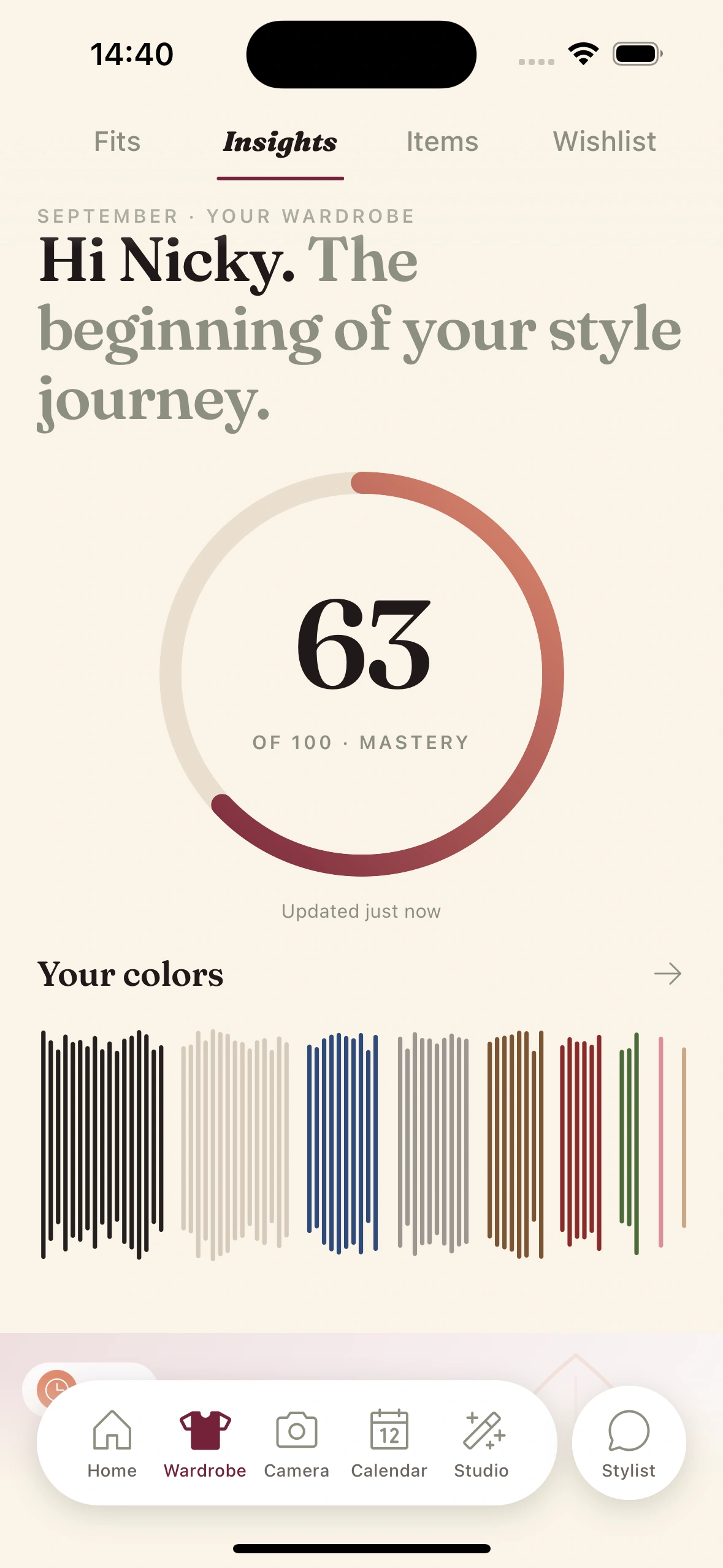
The Insights tab is your closet's weekly column: five daily beats of prose and a recap on Mondays, with a few deep cuts you'd forgotten you owned.
01
Open the Insights tab.
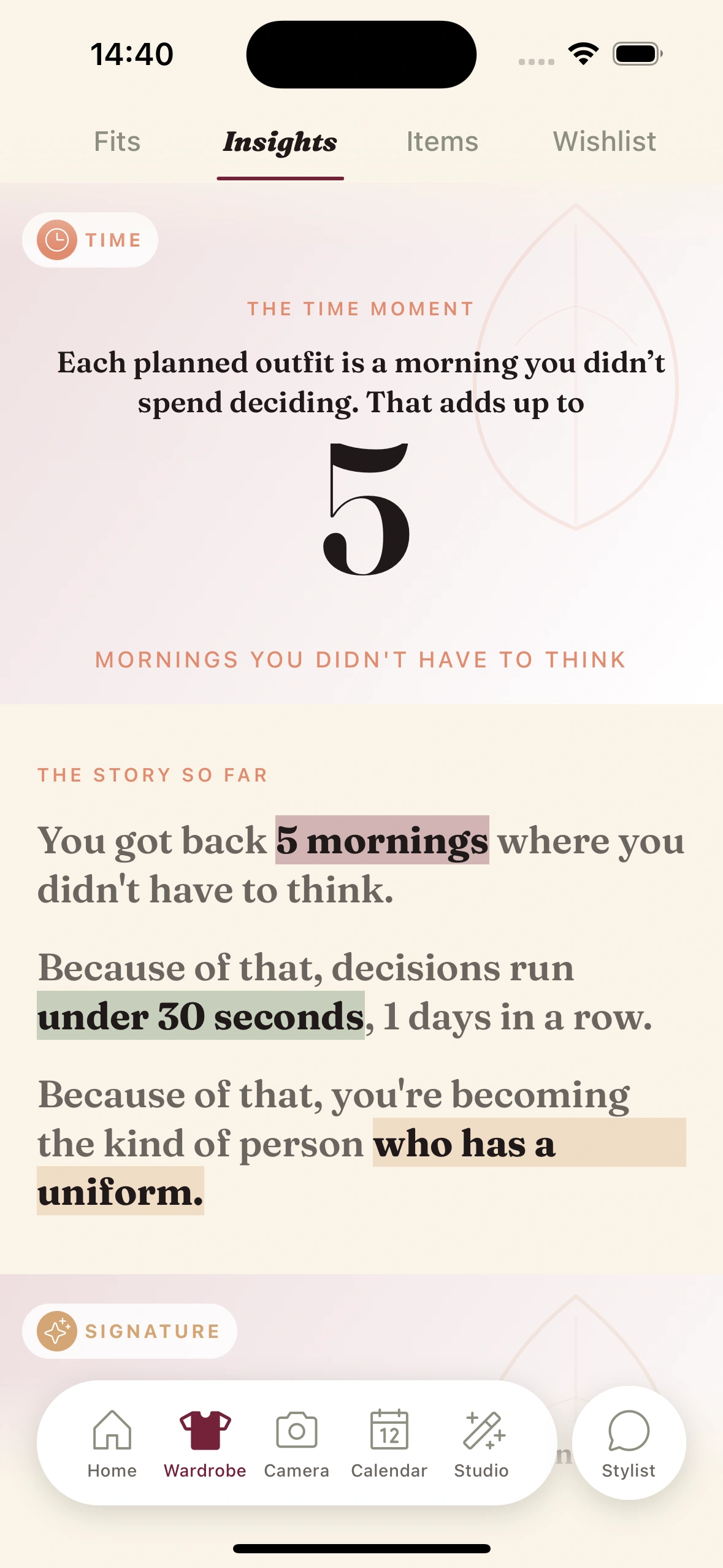
From the Wardrobe tab, swipe across to Insights. The page composes itself each morning before your ready-time using the last 24 hours and the last seven days of your wardrobe activity.
You can also open it any time during the day — the layout is static after the morning compose, but the data is live underneath.
02
Read the five daily beats.
The page is structured as five sections, in order:
- ·Hero — one editorial line with a peer percentile (e.g. "In color play, you're in the top 12% this month").
- ·Today — pieces dressed for today's weather that you haven't worn recently. Tap to build an outfit around them.
- ·Palette — the week's color drift, with a swatch strip.
- ·Streak — consecutive days dressed by Clottr, with progress toward the next tier.
- ·Deep Cuts — 1-3 pieces that have been neglected but are currently appropriate to wear.
03
Read the Monday recap.
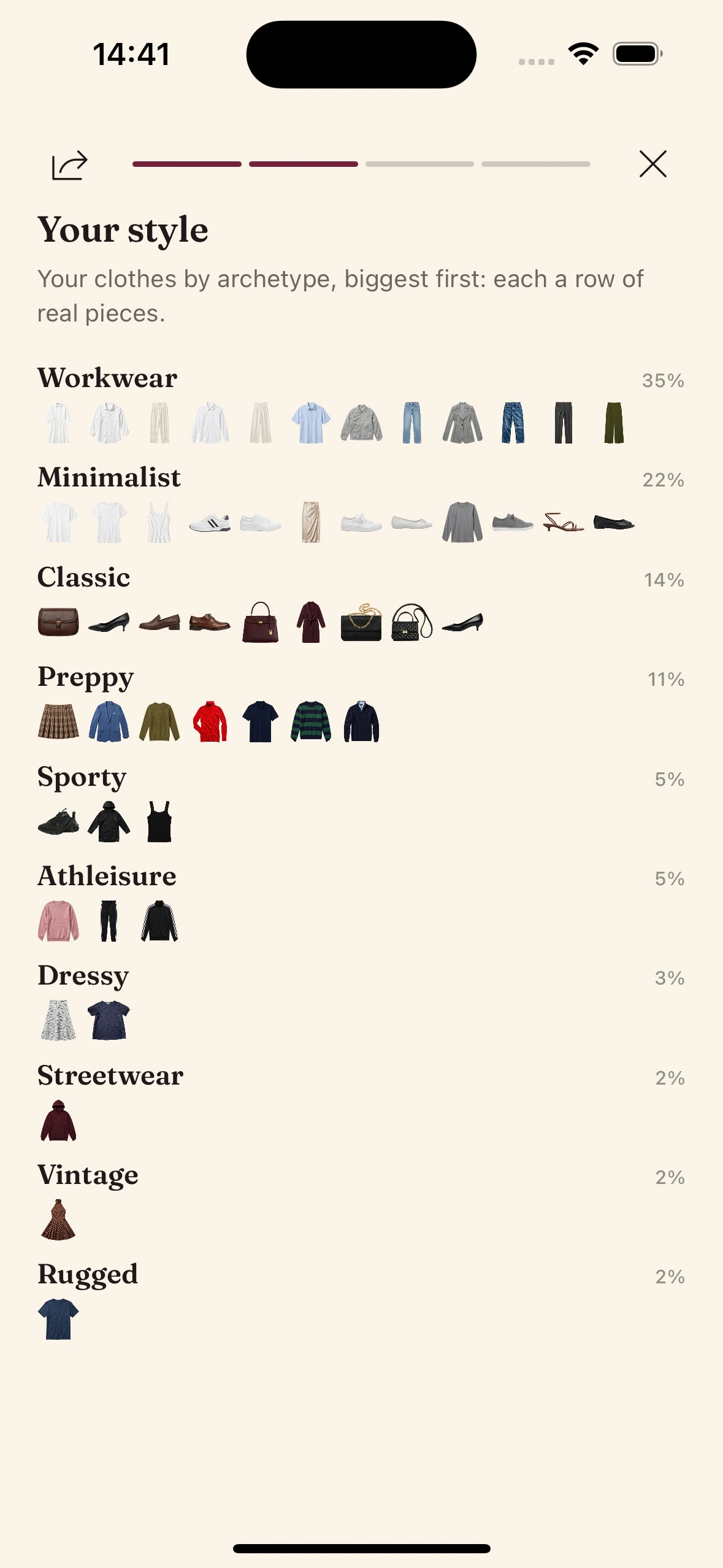
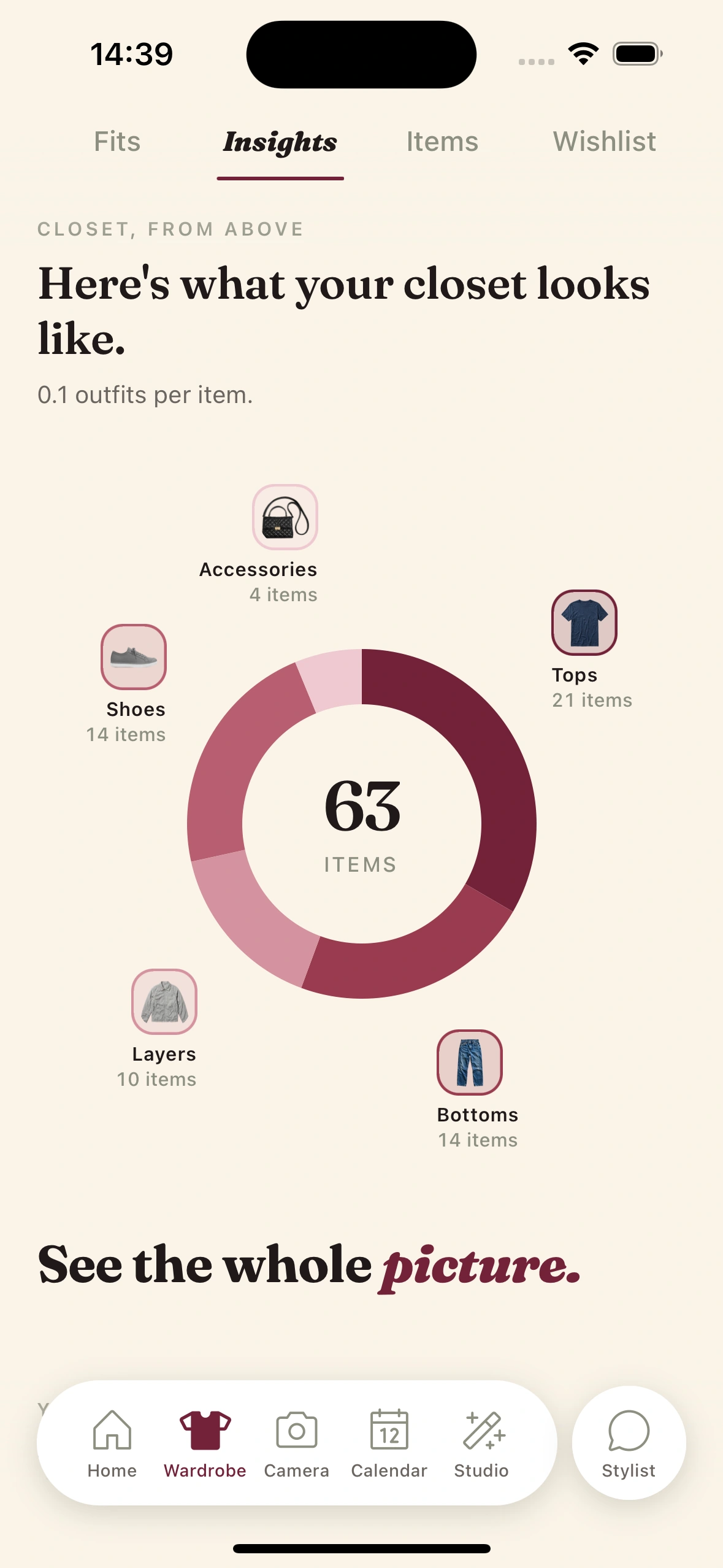
Every Monday morning, a longer weekly recap publishes at the top of the Insights tab. It includes your most-worn piece for the week, palette shifts, CPW milestones, the longest unbroken pairing, and any new entries to your wardrobe.
The recap also arrives as the Monday digest email — same content, different surface. Read it in either place.
04
Use Deep Cuts to plan tomorrow.
Tap any piece in the Deep Cuts beat. The AI builds a full outfit around it for tomorrow — anchored by the deep-cut piece, weather-checked, calendar-aware.
This is the easiest way to break a rotation rut. Your daily fits naturally bias toward the things you wear most. Deep Cuts pulls in the other direction, and tapping one tells the AI to weight that piece higher in tomorrow's suggestion.
05
Share or screenshot.
Hit share on any beat or the weekly recap. The layout exports as a clean editorial card on the brand background, sized for social — square for the recap, vertical for individual beats.
Nothing personal is exposed beyond the line you'd already published to yourself. No raw stats, no item names you didn't choose to surface. Designed to be sent.
Tips & gotchas
How to make your insights richer.
Log fits every evening.
The recap is built from logged wears. One tap when you get home, every day. Skip a week and the recap reads thin. Log consistently and by week four the insights start telling you things about yourself you didn't know.
Add the breadth of your wardrobe, not just the favorites.
The Deep Cuts beat needs unworn things in your wardrobe to surface. If you only logged your top ten pieces, the beat will be empty. Add the things you forgot you owned: that's where the magic comes from.
Use Today's recommendations.
The Today beat surfaces weather-appropriate unworn pieces. If you tap one and wear it, the rotation widens. Ignore the beat and your daily fits stay narrow. The Insights tab is a loop, not a dashboard.
Adjust the tone if it grates.
The default editorial tone is warm and serif-italic. Some people love it. Some find it twee. Settings → Insights tone gives you three options — practical, warm, blunt. The data is the same. The voice changes.
Keep reading

Blog
My closet wrote me a love letter
A full walkthrough of an actual week of insights, beat by beat.
Guide
Run a Should I Buy analysis
The shopping companion to your insights — use them together for a closet that earns its keep.

Feature
The Outfit Planner
The system that turns your insights into tomorrow's outfit.

Launch issue
Issue 01 — The Lineup
Every feature in the new Clottr app, in one editorial tour.
Frequently Asked Questions
How often does the Insights tab update?
The daily beats (Hero, Today, Palette, Streak, Deep Cuts) refresh every morning before your ready-time. The weekly recap publishes Monday mornings. Everything is local to your timezone.
Why does my Insights tab feel empty in the first week?
The system can only narrate what it sees. With less than a week of logged fits, the palette beat has no drift to report and the recap has no top piece. By week three the insights are noticeably richer. The fastest way to fill them: mark fits as worn each evening and let the daily fits suggest pieces you don't reach for on your own.
What's the peer percentile based on?
The percentile on the Hero beat compares aggregate properties of your wardrobe usage (color diversity, formality range, rotation breadth) against the anonymized population of other Clottr users. We don't surface other users' actual closets - just the statistical position. Opt out in settings if you'd rather not see it.
Can I customize what shows up?
Yes. In Insights → Settings you can mute specific beats (turn off the streak beat if you don't want one), choose a tone (practical, warm, blunt), and toggle peer percentiles on or off.
What's a 'deep cut'?
A piece in your wardrobe that hasn't been worn for a while but is currently appropriate for the weather and your style profile. A wool coat unworn in May is correctly unworn. A linen shirt unworn since February in current 22°C weather is a deep cut. The AI distinguishes between the two.
Can I share my insights with friends?
Yes. Tap share on any beat or the weekly recap and the system exports a clean editorial card - your stat or paragraph on the brand background, no personal data exposed beyond what you wrote yourself. The recap shares as a square image suitable for social.
Read your closet's weekly column.
Join early. Discounted for life.