
Virtual try-on
Try on glasses and sunglasses from any store
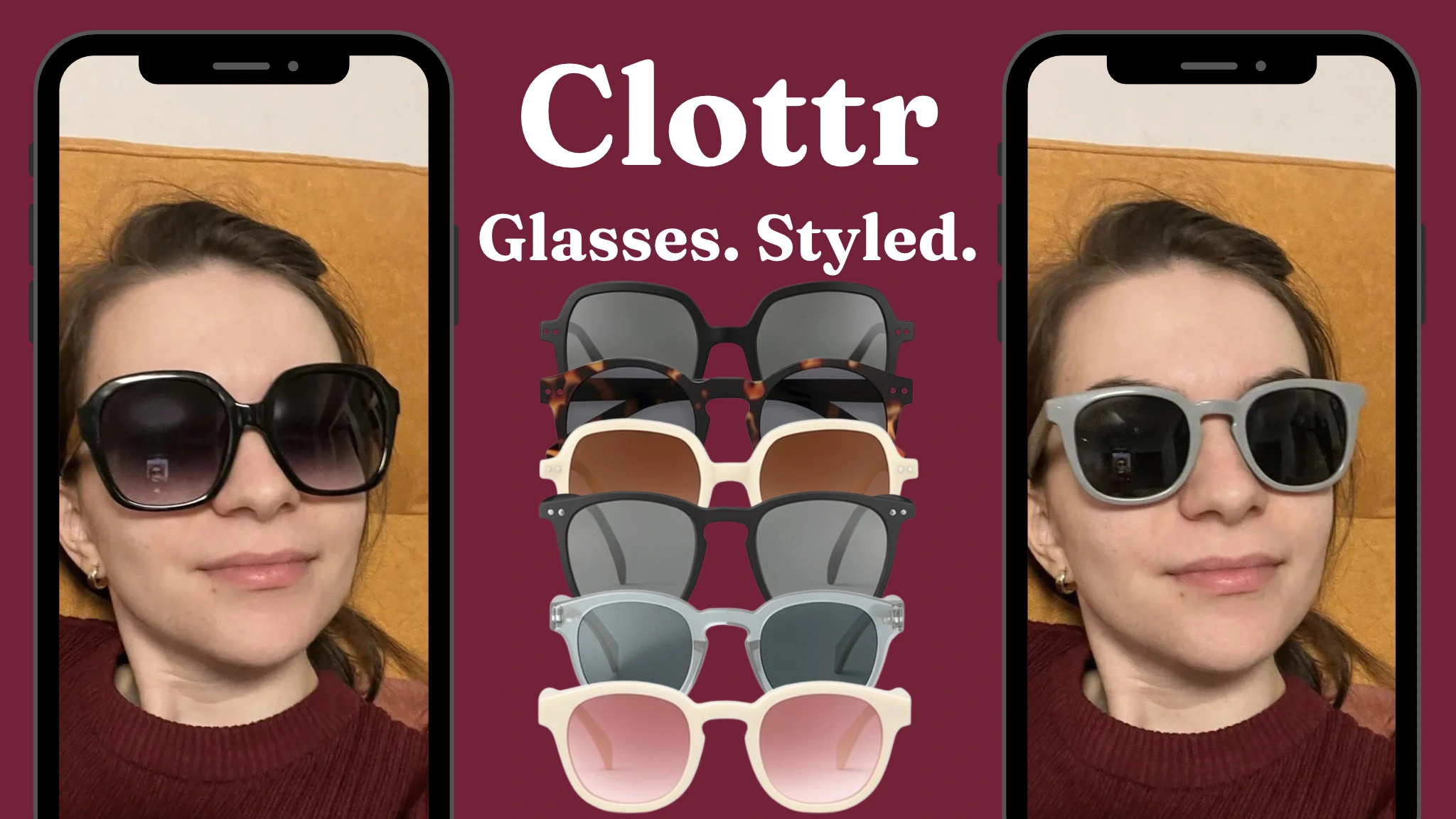
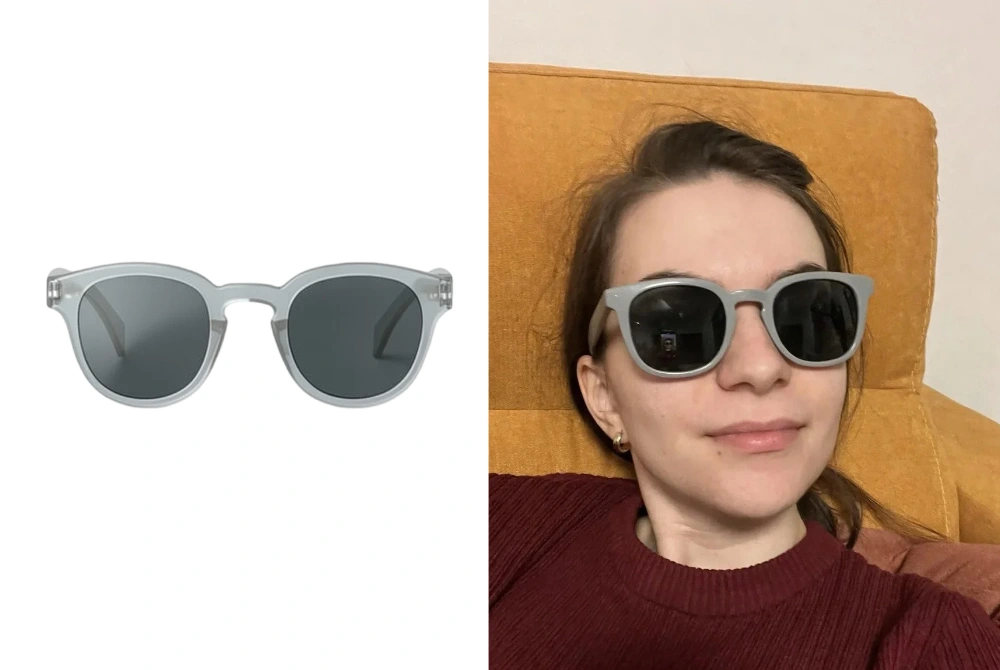
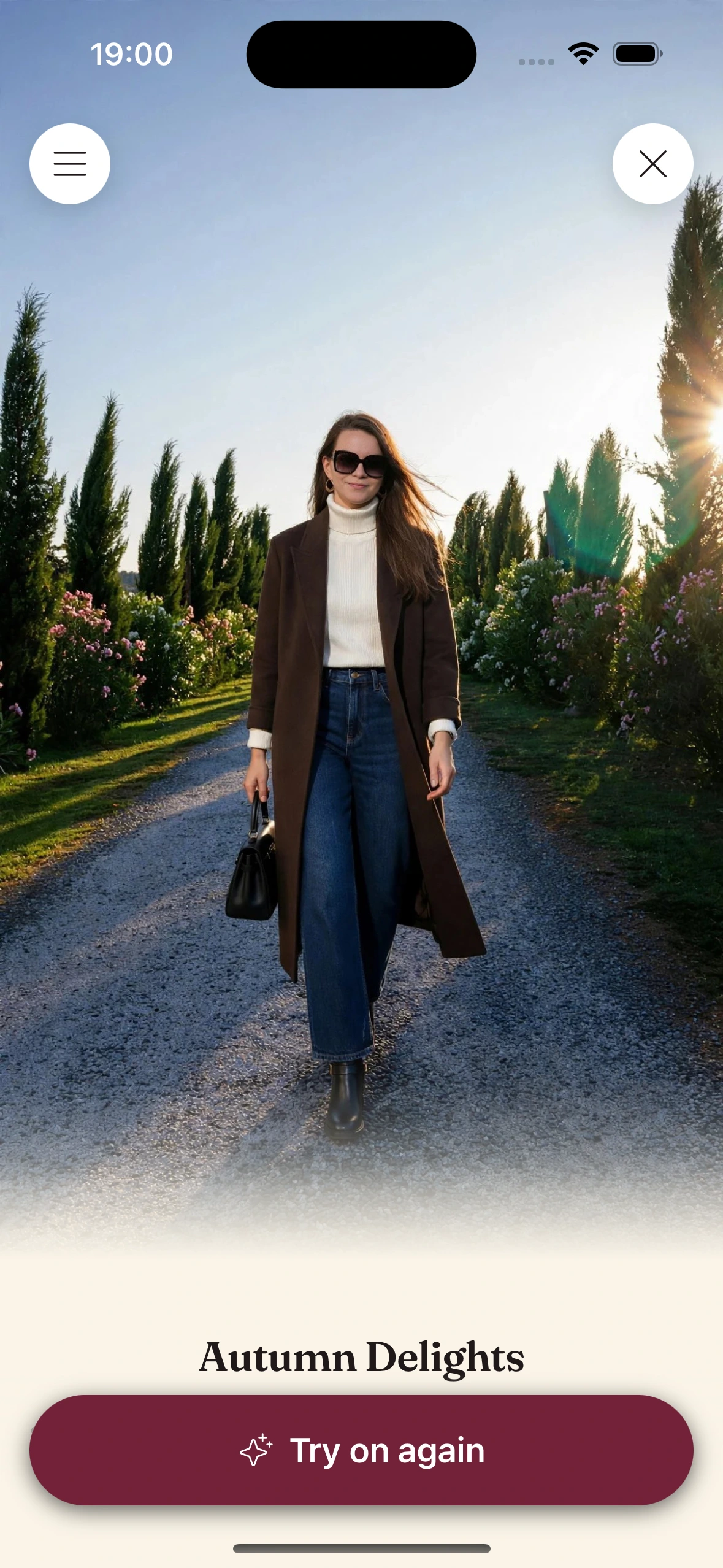
Clottr puts glasses and sunglasses on the same photo you use for clothes, so you see a frame with your own face and your outfit together. Add the frame on the canvas, from your wardrobe or from any online store, and Clottr renders it on you in high quality.
Try one pair, then the next, on the same photo and compare the results. It's a way to judge the look, not the fit: scale is approximate, and Clottr doesn't measure your face, your pupillary distance (PD) or the frame.
How glasses try-on works in Clottr
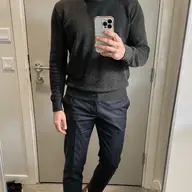
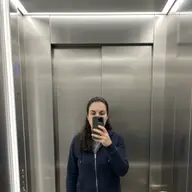
Glasses use the same virtual try-on as clothes, in three steps. First, set up your try-on photo: one full-body selfie, facing the camera, against a plain wall in even light. A mirror selfie works too, as long as it's full-body and well lit, though a straight-on shot from a friend or a propped-up phone is slightly better because no phone covers part of you. Clottr turns it into a clean studio pose of you, and that one photo covers your clothes and your glasses.
Second, add the frame on the canvas, from your wardrobe or from any online store. Third, Clottr renders the frame on your photo, so you see it with your face and your outfit together.
Want to see another pair? Add it, and it renders on the same photo. Try a few one after another, then compare the results before you buy.
Why trying frames from any store matters
A retailer's own try-on tool shows the frames that retailer sells. That's fine once you've picked the shop. It doesn't help when the pairs you're weighing come from three different places.
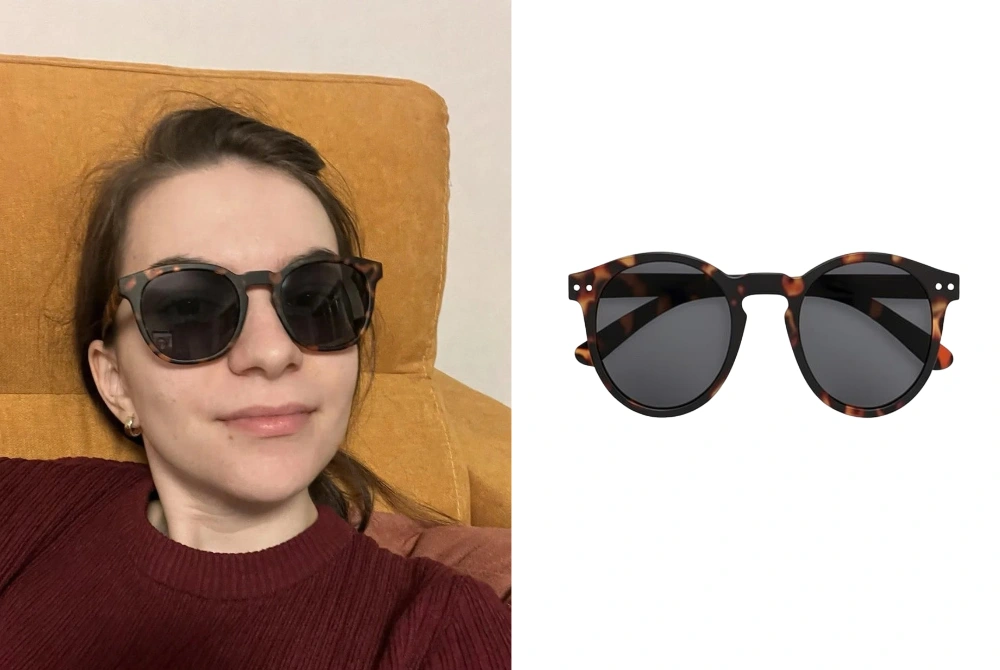
Clottr doesn't care where a frame is sold. Put a designer pair, a budget pair and a secondhand find on your photo, one after another, and compare them on the same face. If the budget pair looks just as good, you'll see it.
Because the frame renders on your full-body photo, you judge it with your outfit too. The same pair can look sharp with a blazer and fussy with a hoodie, and that's hard to tell from a product shot.
Which frames suit your face shape
Face shape advice is a starting point, not a rule. The usual advice is contrast: angular frames add definition to a round face, rounder frames soften a square one, and frames with some depth balance a long face.
Treat the table as a shortlist. Your eyes, brows, hair, skin tone and style matter as much as the outline of your face, so the try-on on your own photo decides.
| Face shape | Frames that usually balance it | Try with care |
|---|---|---|
| Oval (a little longer than wide, soft jaw) | Most shapes, from rectangular and square to round and aviator | Very oversized frames that overwhelm a balanced face |
| Round (about as wide as long, full cheeks) | Angular frames: rectangular, square or geometric, with a clear brow line | Small round frames that repeat the curves |
| Square (strong jaw, broad forehead) | Round, oval or softly curved frames, thin metal or rimless | Boxy, heavy frames that echo the jawline |
| Heart (wider forehead, narrow chin) | Frames wider at the bottom, round or oval shapes, light rimless frames, aviators | Heavy brow lines and decorated upper rims that add width up top |
| Diamond (widest at the cheekbones) | Cat-eye, oval and browline frames that add width at the brow | Narrow frames that make the cheekbones look wider |
| Oblong (clearly longer than wide) | Deeper frames with some height, bold temples or a strong brow line | Small, shallow frames that make the face look longer |
Sunglasses: tint, size and the outfit
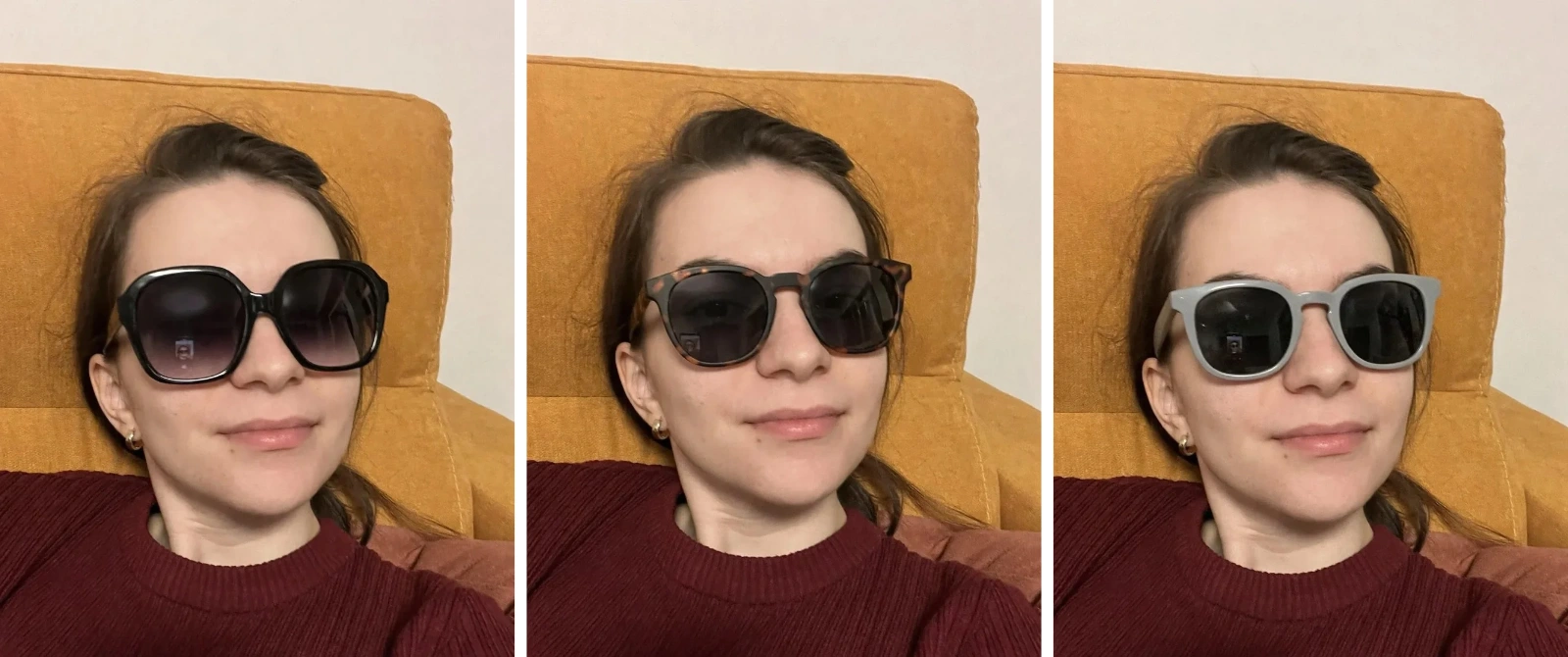
Sunglasses get the same try-on as glasses, on the same photo. They cover more of your face and set the mood of a whole look, so they're worth trying with more care, not less. Four things to check:
- Lens tint next to your skin tone: warm tints like brown, amber and gold often flatter warm undertones, while gray, blue and other cool tints tend to sit well with cool undertones. Check it on your own photo, not on a model's.
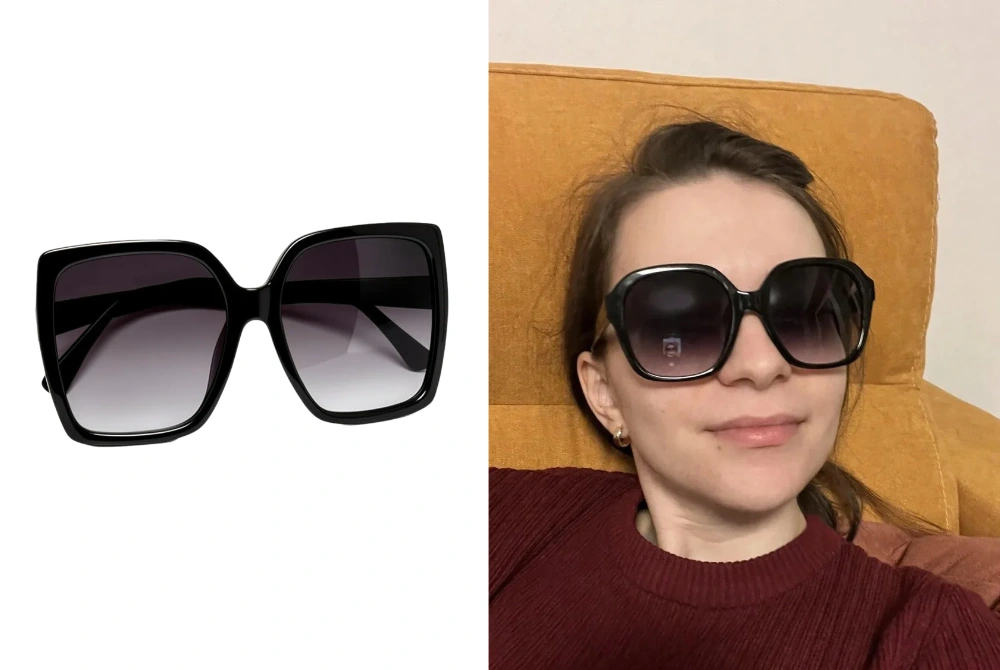
- Oversized or small: oversized frames read bold and cover more of your face, while small, narrow frames read retro and show more of it. Scale is approximate on a render, so use it to judge the style and check the listed frame size before you buy.
- The outfit you'll actually wear: build the look it's for on the canvas with the pair, whether that's for the beach, the city or a long drive, and you judge the whole look, not just your face.
- Any store, again: in Clottr, a pair from a boutique, a department store and a secondhand listing all go on the same photo, so you compare them on the same face.
The try-on shows style, not protection. Check the label for UV protection and whether the lens is suitable for driving: a render can't tell you either.
Prescription glasses and fashion frames
The try-on works the same for a prescription frame, a fashion frame with clear lenses or a pair of readers: it shows how the frame looks on you. That's the part a photo can answer.
It can't answer the rest. Clottr doesn't read or check a prescription, can't show how thick your lenses will be, and doesn't check how a frame fits your face. Use the try-on to pick the style, then buy prescription glasses with an optician's measurements.
What glasses try-on can't do
Glasses try-on is for judging the look: the shape, color and style of a frame with your face and your outfit. It's an approximation, not a fitting.
- It doesn't check fit: it can't tell you whether a frame will pinch, slide down your nose or sit level.
- It doesn't measure your pupillary distance (PD) or anything else about your face.
- It doesn't measure frame width, and scale is approximate, so a frame can look larger or smaller on the render than in person.
- A render can occasionally change your face a little. Running it again usually fixes that.
For fit, use the retailer's size guide, compare it with the size of a pair that already fits you (usually printed inside the arm), or ask an optician. Clottr helps you decide which frame you want; the size guide and the optician tell you which size to order.
Do it in Clottr
- 01
Set up your try-on photo
Use the full-body selfie you already have, or take one. The try-on photo guide walks you through it. You set it up once: the same photo covers your clothes and your glasses.
- 02
Add the frame
Add the frame on the canvas, from your wardrobe or from any online store.
- 03
See it on you, then try the next pair
Clottr renders the frame on your photo. Add the next pair and it goes on the same photo, so you can compare the results and pick the one you like.
Glasses try-on questions
Do I need a new photo to try on glasses?
No. Glasses and sunglasses render on the same full-body photo you use for clothes, so one photo covers both. You can update that photo anytime.
Does it work for sunglasses?
Yes. Sunglasses work exactly like glasses: add the pair on the canvas and it renders on your photo. That lets you judge the frame shape and lens tint against your skin tone, and you can build a look on the canvas to see the pair with the outfit you'd wear it with.
Can I try on prescription glasses?
You can try on the frame, yes. The render shows how a prescription frame looks on you, but Clottr doesn't check your prescription, lens thickness or fit. Buy prescription glasses with an optician's measurements.
Can I compare several pairs?
One at a time, yes. Try one pair, then the next, on the same photo, and compare the results. The frames can come from different stores, and each one renders on the same photo of you.
Does it measure my frame size or PD?
No. Clottr doesn't measure your pupillary distance (PD), your face or the width of a frame, and scale on the render is approximate. For fit, use the retailer's size guide or ask an optician.
Which glasses suit my face shape?
As a starting point, pick frames that contrast with your face: angular frames for a round face, rounder frames for a square face, frames wider at the bottom for a heart shape and deeper frames for a long face. Oval faces suit most shapes. Then try your shortlist on your own photo, because your face, hair and style matter too.
Is my photo private?
Yes. Clottr stores your selfie, the pose image made from it and your try-ons. It creates no biometric templates and does not identify you, and your photos are never used to train AI. Moderation is automated: a person looks at a specific image only if it is reported as breaching the Terms, if you send it to support, or if the law requires it. You can delete your data anytime from Profile settings, which removes it from active systems immediately; encrypted backups are purged within 30 days (details in the privacy policy).
Is Clottr's glasses try-on free?
Yes, there is a free tier. It covers try-ons, Should I Buy checks and outfit generation, plus wardrobe and fit management. An optional paid plan adds a bigger monthly allowance for the features you use most. Prices are announced at public launch. See what's free and what the paid plan adds.
More on virtual try-on
Virtual Try-On
See any clothing item or full outfit from any store on your own photo.
Set up your try-on photo
Take the one full-body selfie your clothes and glasses try-ons use.

How accurate is virtual try-on?
An honest look at what a try-on render can and can't tell you.
Muse
Turn a Pinterest pin or screenshot into a look from your own closet, shown on you.
Try on any frame.
Join early. Discounted for life.